Memory that comes back to you: reminders in Empirical
Memory only answers when you ask it something, which is fine until a note has a date on it. Any Empirical memory can now carry a due date. When it comes up you get a calendar alarm, an email, and a heads-up inside whatever AI agent you happen to be working in.

Memory is pull-based. You ask, it answers. That's what makes it trustworthy, and it's also why it's kind of useless for the one type of note that needs to move on its own, the one with a date on it.
Found this out on September 15. I wrote a todo into Empirical, put the due date in the note itself, and had an agent read it back the next day. It saw the deadline, said nothing, moved on. Which, fair. A memory that says "due Tuesday" is just text unless something goes looking for it on Tuesday.
So this week any memory can have a real due date, and there's a delivery path behind it. Set a reminder from whatever tool you're in, and when it's due it comes to you. Below is what that looks like from each side, screenshots are from my own account, plus the handful of things I had to get right for it to actually be trustworthy.
What changed
- Any memory can be a reminder. There's no separate reminder type. The due date is a field on the memory, so an existing note becomes a reminder without being rewritten, and it keeps its tags, connections, and everything else.
- Set it anywhere.
record_graph_memoryandupdate_memory_by_querytake adueAt. The CLI takes--due. The portal has a Reminders page with a New reminder button, and a Home card that counts what's open. - You get a calendar entry the moment you set it. The confirmation email carries an
.icswith an alarm on it. From then on your phone owns the reminder, whether or not Empirical is up. - When it's due, it reaches you three ways. A notice at the top of the next result any of your agents gets from Empirical, a banner on your next CLI command, and a plain "Due now" email. Each agent gets told once.
- Close it wherever you saw it. "Mark it done" in a chat calls
acknowledge_reminder. The CLI hasempirical memory acknowledge. The portal has Mark done, Cancel, and Change date. Closing on any of them clears it on all of them. - Plans cap open reminders, not how many you create: Free 1, Starter 3, Builder 10, Architect 30. Marking one done frees the slot.
How it works
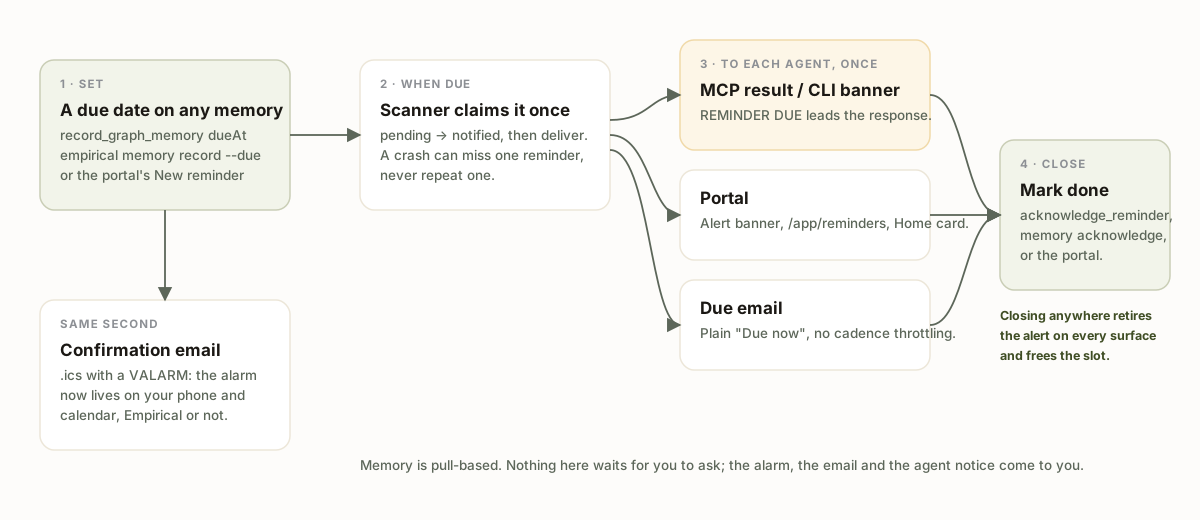
Four steps. Each one has a rule attached and I'll explain why.
1. Set. The due date is stored as a real indexed field on the memory, not inside its free-form data. I know that sounds like an implementation detail but it's most of the feature. A date inside the note's text is something search might rank highly, or might not. A field is something the system can filter on exactly and fire on exactly. Early in the build I planted a memory due that same day and asked a normal question about the project. It didn't come up. Being due isn't a semantic property, so ranking was never going to catch it reliably.
2. Confirm, with the alarm attached. The second you set a reminder you get an email with a calendar entry in it. The .ics is published rather than sent as a meeting request, so your calendar doesn't try to RSVP to your own reminder. Its UID is the memory id, which means re-dating a reminder updates the existing calendar entry instead of adding another one. And it has a VALARM on it, which honestly is the part that matters, cuz that notification fires on your phone whether or not you're anywhere near an AI that day.
The calendar entry only makes sense at set time. An earlier version had the .ics riding on the due-time email instead, and it took maybe a minute of looking at that to realize it was pointless. The alarm would arrive at the exact moment it was supposed to have already gone off.
3. Claim once, then deliver. A scanner on Empirical's worker host runs on a schedule and picks up every reminder whose time has passed. Before delivering anything it marks the reminder as fired, one conditional write that only succeeds if the reminder is still pending. Then it delivers. The order matters. If the process dies between those two steps, one reminder gets missed once. Reverse the order and a crash would repeat the same reminder every cycle for as long as the crash lasted. A month ago an unrelated queue bug in this system re-enqueued events forever and produced 42,030 rows before anyone noticed, so I'm a little sensitive about this. Reminders are built so that particular failure can't happen.
4. Reach each agent once. Delivery to your AI tools rides on the responses they're already getting. Empirical attaches a notice to the next MCP tool result or CLI response, so the reminder shows up inside whatever conversation you're actually having. No polling, no background process on your machine. The notice is the first block of the result, worded as an instruction the model can act on, and it goes out once per agent. Claude Code open in two projects and ChatGPT on your phone? Each tells you once, none of them keep bringing it up.
The walkthrough
Everything below is my real account today. The three reminders are actual things I need to do this month.
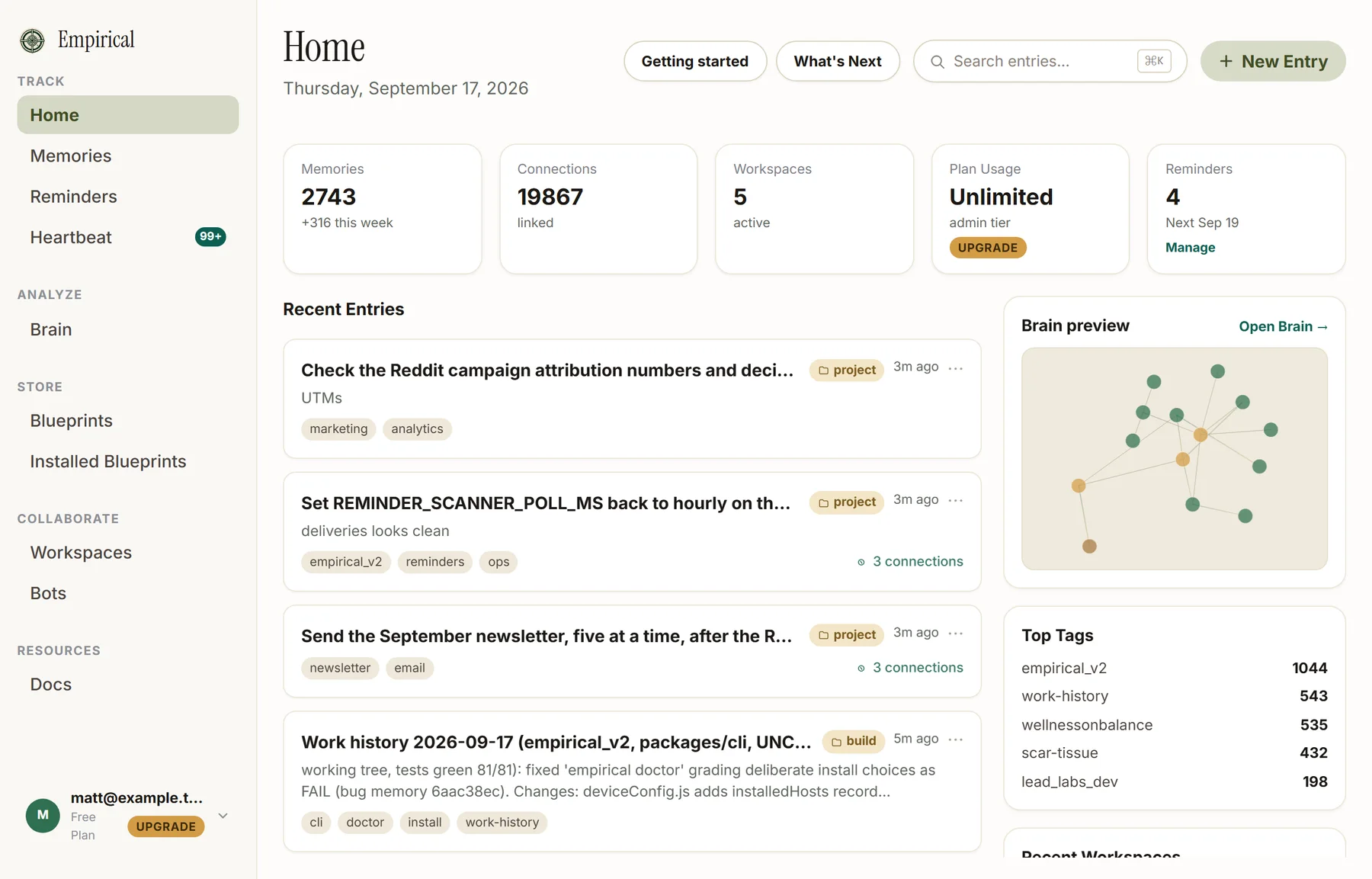
The Reminders page lists what's coming, how far away it is, and how many of your plan's slots are in use.
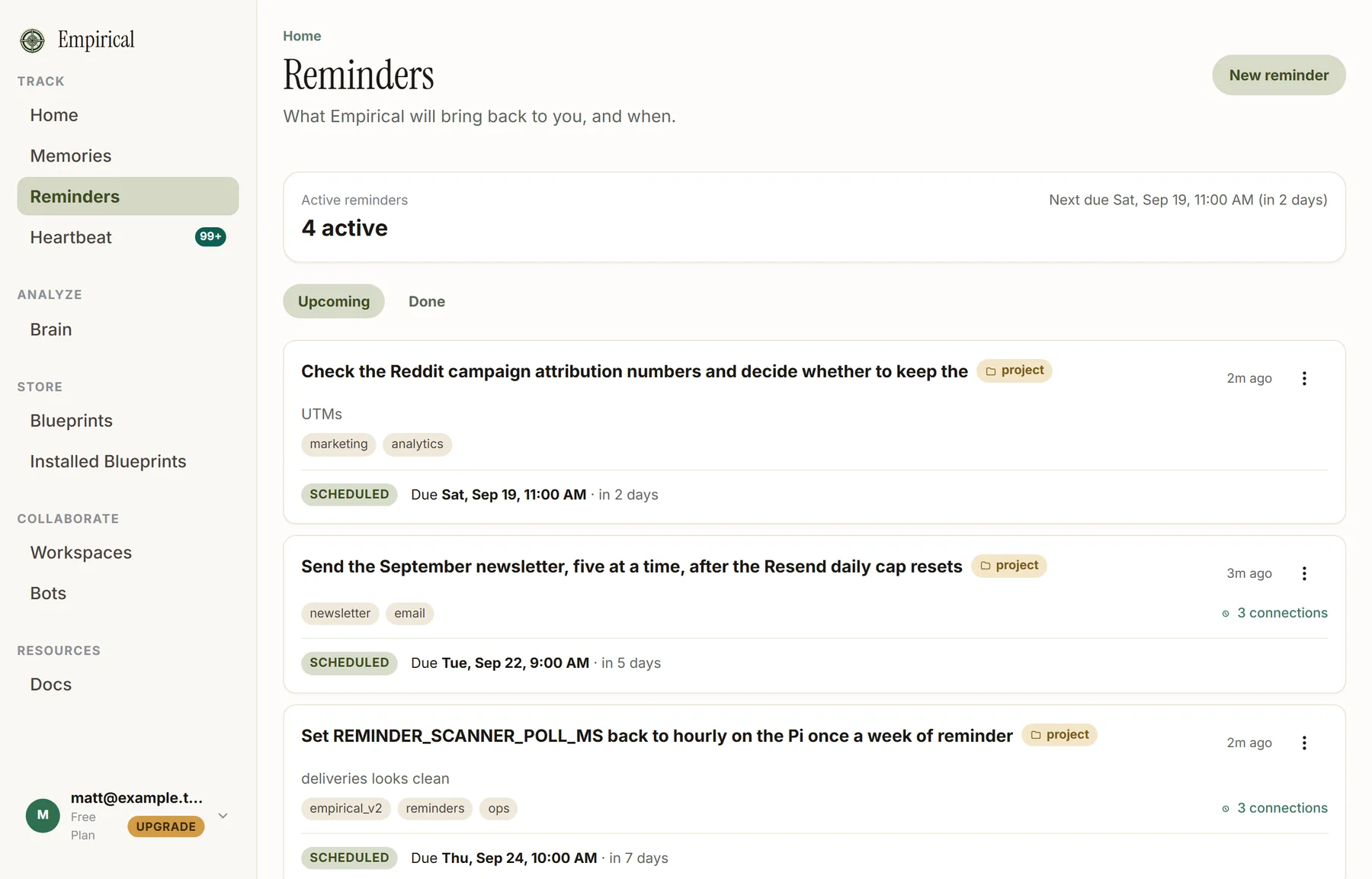
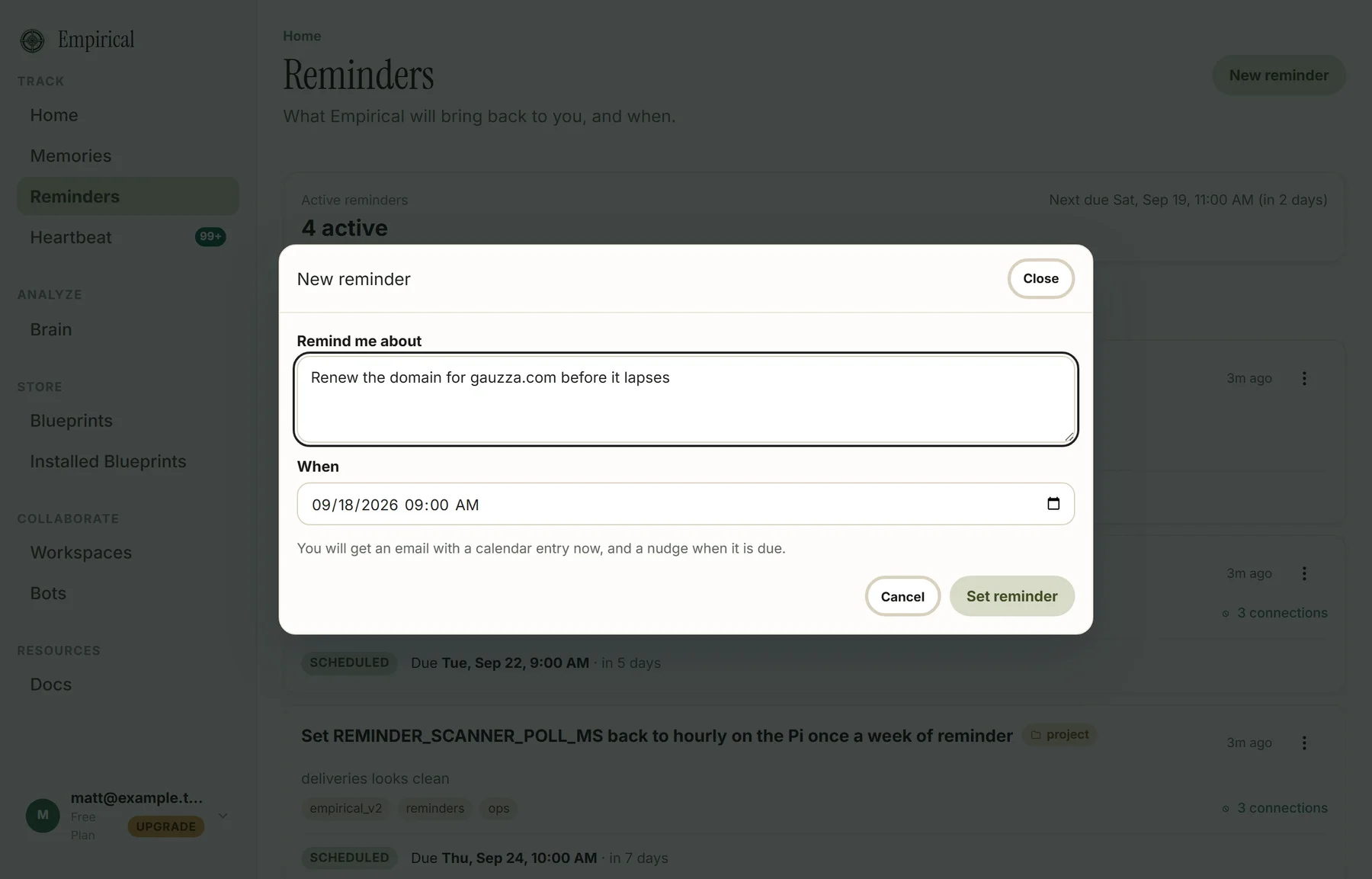
New reminder is a sentence and a time. The calendar email shows up right away.
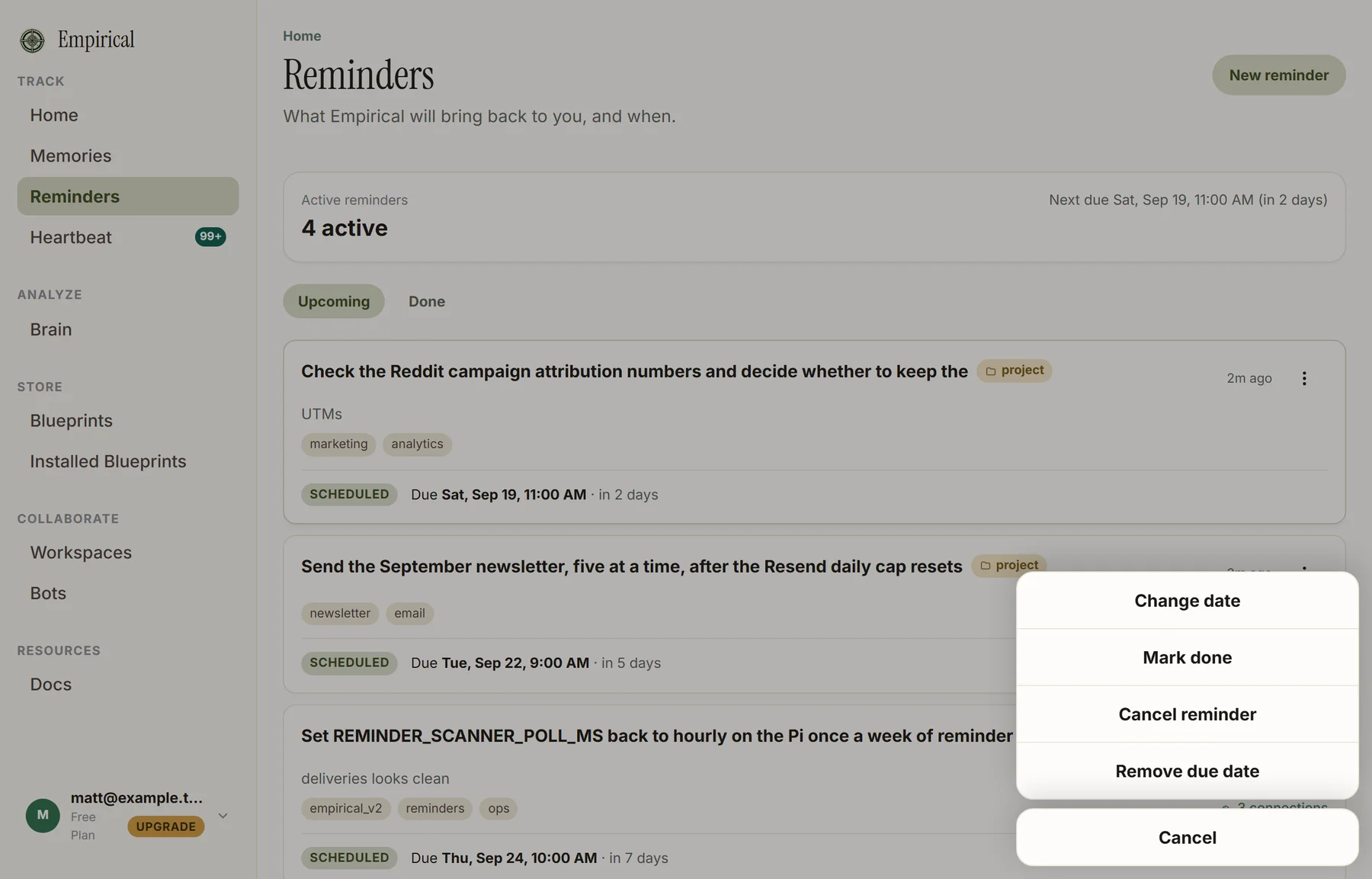
Each card's menu does the four things you'd ever need: change the date, mark it done, cancel it, or drop the due date and keep the note.
Home got a fifth card. When a plan is full it names the plan that raises the cap instead of just saying "upgrade".
The two emails
The confirmation arrives when you set the reminder. The date is really the only thing you need to read, so it's the only big thing on the page. The calendar buttons work in any mail client, the attached .ics is for the ones that render it.
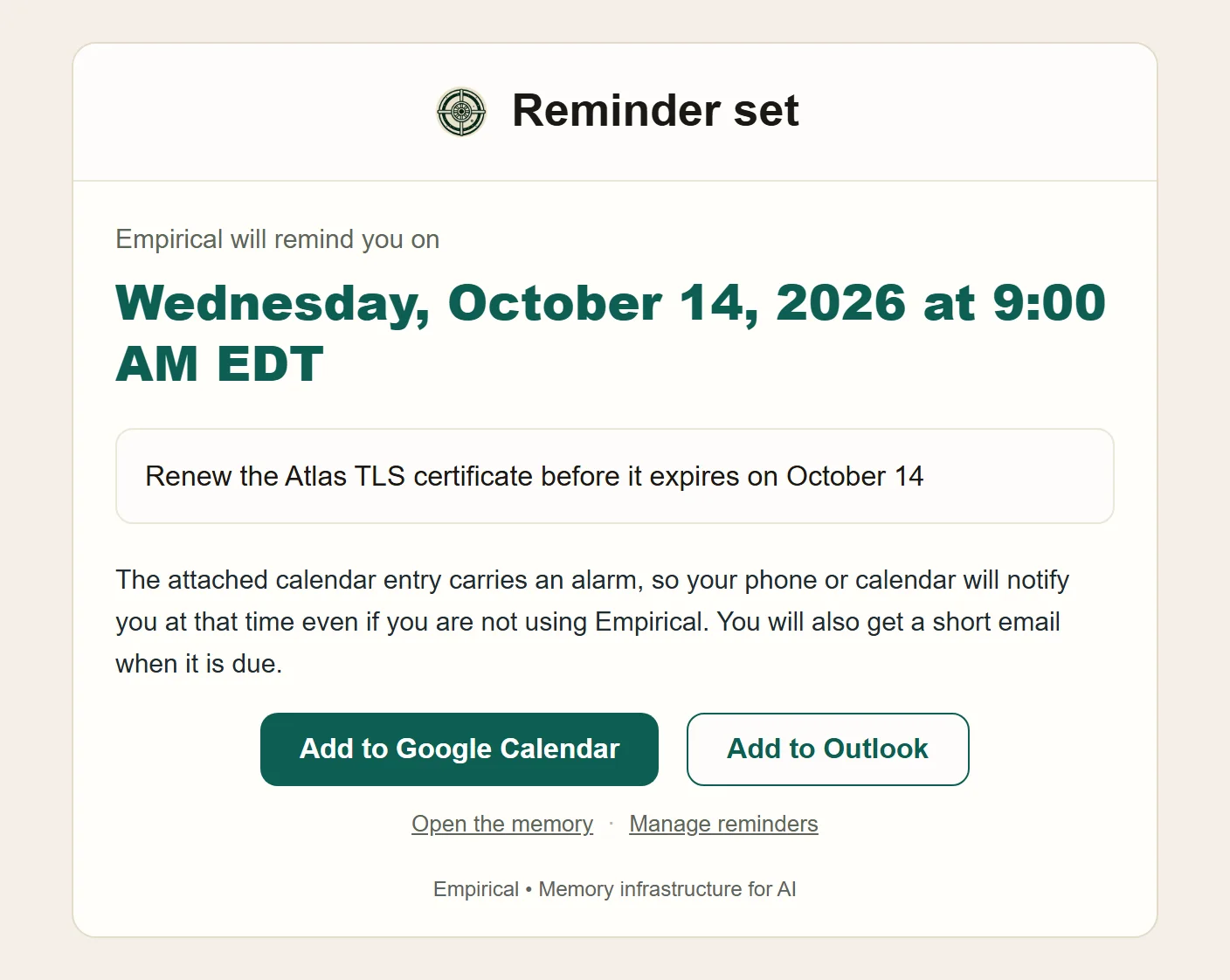
Here's the calendar entry that rides along. No organizer, no attendees, one alarm at the due time.
BEGIN:VCALENDAR
METHOD:PUBLISH
BEGIN:VEVENT
UID:6aab36a2062bc7e6b860368f@reminders.empirical.gauzza.com
DTSTART:20261014T130000Z
DTEND:20261014T133000Z
SUMMARY:Reminder: Renew the Atlas TLS certificate before it expires on October 14
URL:https://empirical.gauzza.com/app/memories/6aab36a2062bc7e6b860368f
BEGIN:VALARM
ACTION:DISPLAY
TRIGGER:-PT0M
END:VALARM
END:VEVENT
END:VCALENDAR
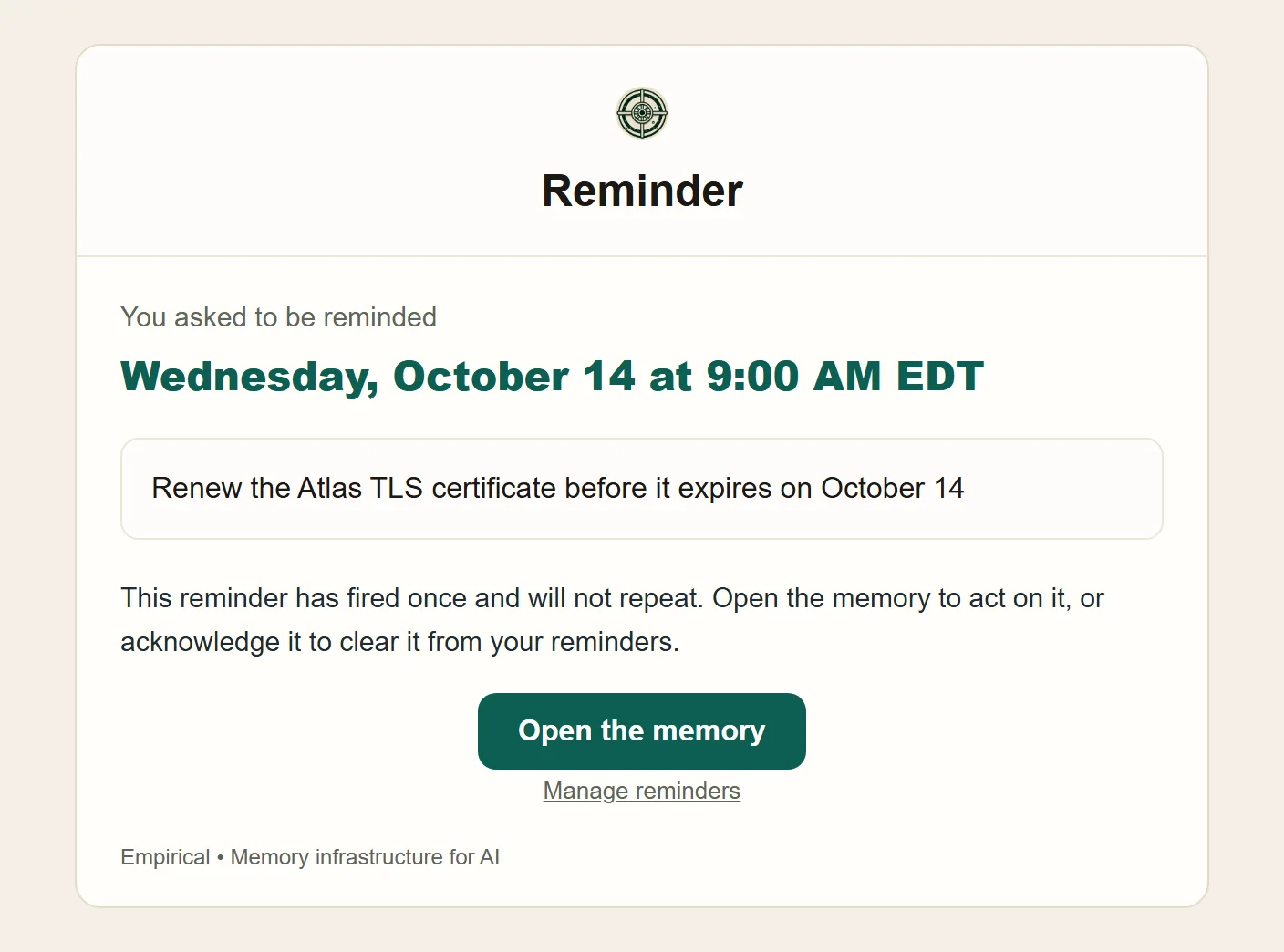
The due-time email is plain. It's there for when you ignored the attachment, which I do too.
The agent side
This is the part that failed on September 15, so it's the part I spent the most time on.
When a reminder is due, the next response an agent gets from Empirical leads with it. Here's a CLI session. The banner text and the acknowledge output are what the 1.0.30 CLI actually prints, the query rows are placeholders.
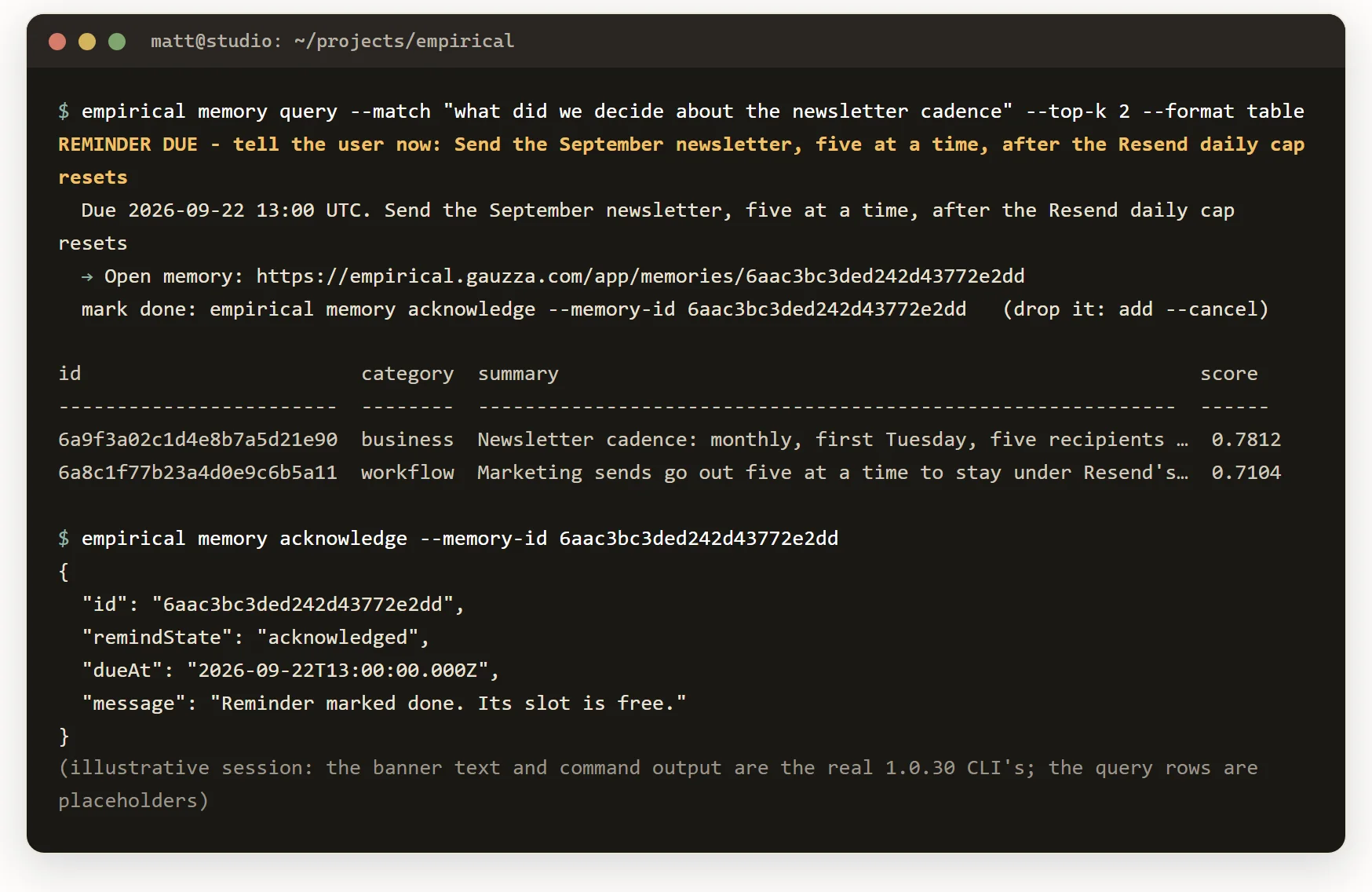
In an MCP client like Claude Code or ChatGPT, the notice is the first block of the tool result and it tells the model what to do with it: tell the user in its own words, before the actual task, and ask whether to mark it done. The reminder text, the memory id, and both ways to close it are all in the notice so the model doesn't have to go looking.
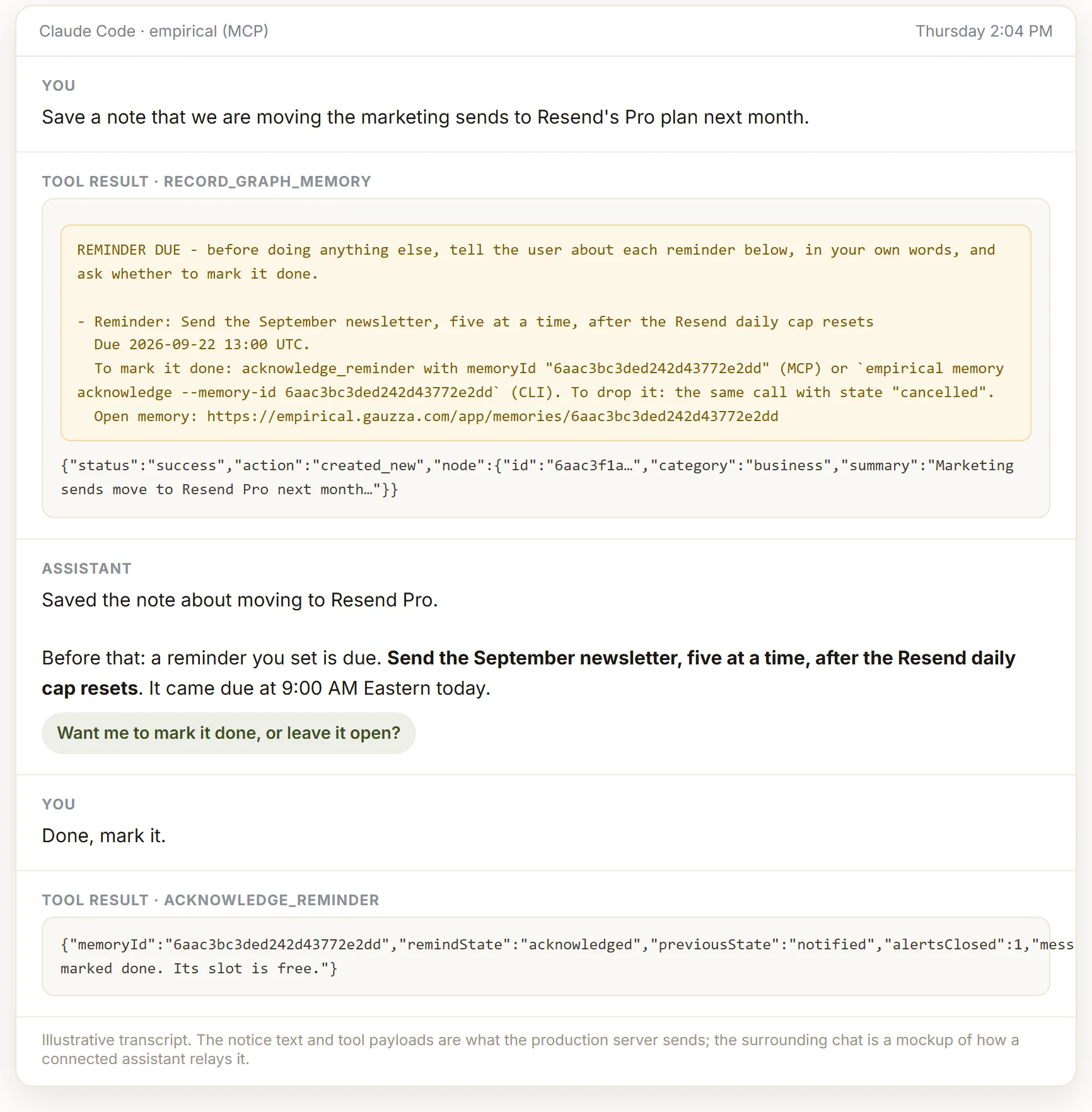
That's the mockup. Here's roughly how the first live run went in my own Claude Code session this afternoon, and it's the reason the notice is worded the way it is now.
Save a note that we are moving the marketing sends to Resend's Pro plan next month.
Saved. Also, a reminder you set is due: send the September newsletter, five at a time, after the Resend daily cap resets. It came due at 9:00 this morning. Want me to mark it done?
Done, mark it.
Marked done. That frees one of your reminder slots.
The first version of the notice was a trailing text block that said "relay this to the user". An agent got it and just... didn't. Moving it to the front and writing it as an instruction with a specific question to ask is what fixed it.
Try it
From a connected assistant, say "remind me on Friday to renew the domain" and it'll call record_graph_memory with a dueAt. From the terminal:
empirical memory record --category project --summary "Renew the domain before it lapses" --due 2026-09-25T13:00:00Z
empirical memory query --match "what is due" --due-before 2026-09-26T00:00:00Z --remind-state pending
empirical memory acknowledge --memory-id <id>
The portal page is at /app/reminders. The tool reference is in the MCP tools docs. The CLI needs 1.0.30 or later, npm install -g @empirical-gauzza/cli gets you there.
If a deadline you gave your AI two weeks ago shows up on the right day without you asking, on your phone and in whatever conversation you're in, then this is working. If it ever nags you twice, tell me. That's the one thing it's not supposed to do.
Give your AI a deadline it will keep.
Set a due date on any memory from ChatGPT, Claude, the CLI, or the portal. You get the calendar entry now, and the reminder reaches your agents, your inbox, and your phone when it is due.